

-

Physics System
Physics System PhysX is the current physics system in iClone 8, it can simulate rigid body physics and soft cloth physics. This physics system is same as iClone 7’s. Kindly…
-

Preventing Characters from Passing Through Grass, Leaves, and Rocks in iClone 8
Preventing Characters from Passing Through Grass, Leaves, and Rocks in iClone 8 When creating a forest scene in iClone 8, you may notice characters running through grass, leaves, or rocks…
-
Revolutionizing Digital Simulations: A Deep Dive into iClone 8.7 Motion Planning
Revolutionizing Digital Simulations: A Deep Dive into iClone 8.7 Motion Planning The release of iClone 8.7 introduces Motion Planning, a powerful plugin designed to automate human behaviors for complex digital…
-

Generating motion with AI Video Mocap in iClone
Generating motion with AI Video Mocap in iClone iClone Video Mocap adopts an AI-powered advanced video-to-motion generation process that cuts down on production time and costs by bypassing the use…
-
Quick creating every characters | Character Creator 5 AvatorMixer
Quick creating every characters | Character Creator 5 AvatorMixer Actor Mixer in Character Creator 5 (CC5) is a powerful tool for rapidly creating diverse human character appearances, from realistic to…
-
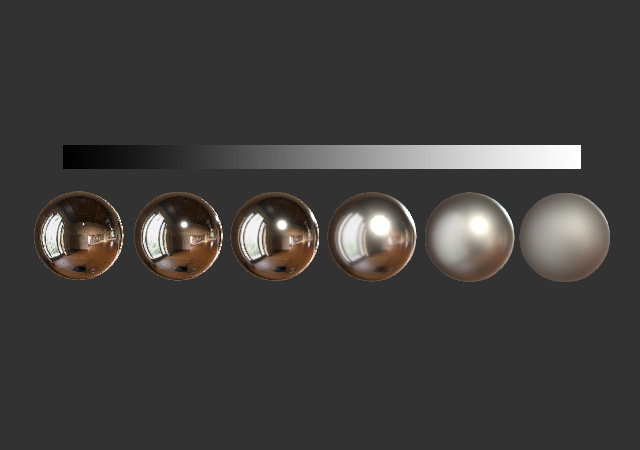
3D Textures – PBR Shader Type Maps
3D Textures – PBR Shader Type Maps PBR (Physically-Based Rendering) uses consistent lighting behavior to make materials look realistic in any environment. Stick to metal-rough or spec-gloss workflows and make…
-
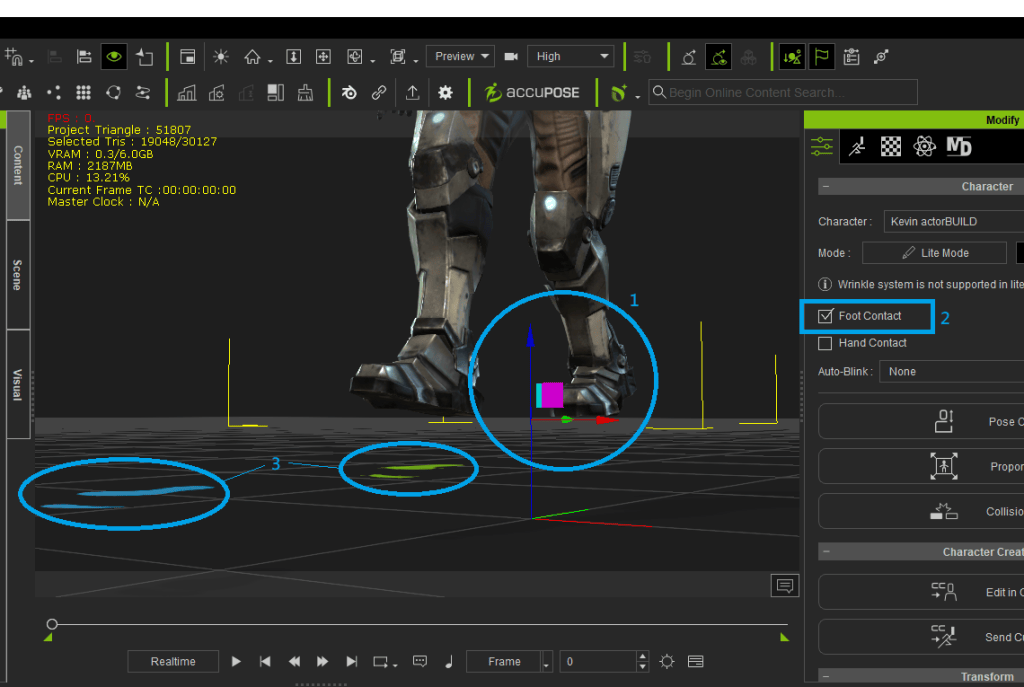
How to fix foot contact for custom imported animation
How to fix foot contact for custom imported animation Sometimes while importing custom motion from another platform, the character in iClone viewport is placed above the ground level, it is…
-
Using AI tool to generate 3D model and rig with iClone / Character Creator / AccuRIG
Using AI tool to generate 3D model and rig with iClone / Character Creator / AccuRIG 1. Choose an AI 3D Generation Tool Several AI tools can create 3D models.…
-
Step-by-Step Guide: Integrating NVIDIA Omniverse with iClone 8 / Character Creator 4
Step-by-Step Guide: Integrating NVIDIA Omniverse with iClone 8 / Character Creator 4 Step 1: Setup Step 2: Create and Share USD File Step 3: Connect iClone to Omniverse Step 4:…

TAG
actormixer AI AI Generation askfunction Cartoon Animator cc5 Character Creator character creator 5 content content manager creation Custom Character iClone Idea Import Particle Performance tutorial
nEW POSTS
- Physics System

- Preventing Characters from Passing Through Grass, Leaves, and Rocks in iClone 8

- Revolutionizing Digital Simulations: A Deep Dive into iClone 8.7 Motion Planning
- FashionGen – AI Empowered for generating clothes textures and Logo

- Generating motion with AI Video Mocap in iClone

- Managing content with Smart Content Manager

- Quick creating every characters | Character Creator 5 AvatorMixer
- Creating CC character with generative AI tool
 Reallusion Tips