

-

FashionGen – AI Empowered for generating clothes textures and Logo
FashionGen – AI Empowered for generating clothes textures and Logo FashionGen is a powerful AI-assisted plugin for Reallusion’s Character Creator for CC4 & CC5 that elevates 3D clothing design.It brings…
-

Creating CC character with generative AI tool
Creating CC character with generative AI tool For realistic character, it is easy to create a character with Character Creator and Headshot plugin (Image Mode). There is a lot of…
-
Using AI tool to generate 3D model and rig with iClone / Character Creator / AccuRIG
Using AI tool to generate 3D model and rig with iClone / Character Creator / AccuRIG 1. Choose an AI 3D Generation Tool Several AI tools can create 3D models.…
-
Does Character Creator 4 support importing character models and editing hair on them?
Does Character Creator 4 support importing character models and editing hair on them? 2. Choose “Character”. 2. Choose “Humanroid”. 3.After importing the model, click on ‘Characterization’ in the Modify panel.…
-
Known Standard Profiles
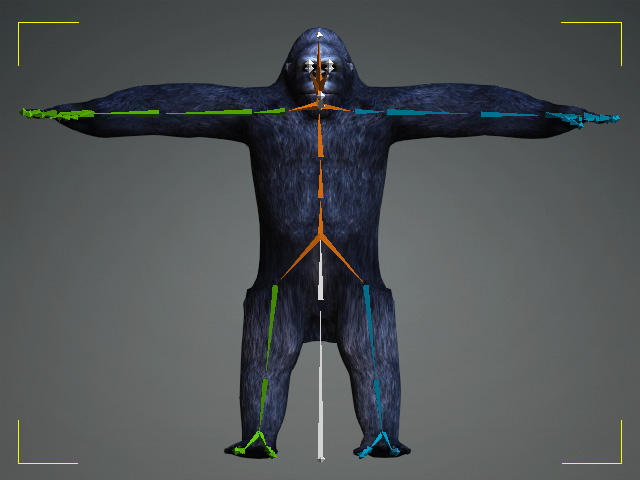
Known Standard Profiles IClone 8 and Character Creator 4 have a lot of known standard profiles for retargeting known standard motions. So users just need to drag and drop the…
-
In-place motion vs Root motion
In-place motion vs Root motion If you are using the motions from default free resource motion pack, most of them are in-place motion, it means that they have no forward…

TAG
actormixer AI AI Generation askfunction Cartoon Animator cc5 Character Creator character creator 5 content content manager creation Custom Character iClone Idea Import Particle Performance tutorial
nEW POSTS
- Preventing Characters from Passing Through Grass, Leaves, and Rocks in iClone 8

- Revolutionizing Digital Simulations: A Deep Dive into iClone 8.7 Motion Planning

- FashionGen – AI Empowered for generating clothes textures and Logo

- Generating motion with AI Video Mocap in iClone

- Managing content with Smart Content Manager

- Quick creating every characters | Character Creator 5 AvatorMixer
- Creating CC character with generative AI tool
- 3D Textures – PBR Shader Type Maps

 Reallusion Tips