

-

Getting Start with iClone
Getting Start with iClone Welcome to iClone! With this powerful character animation tool, it allows users to create high-quality animations with motion capture, facial animation, and realistic character design. With…
-
Export Mesh and Motion Individually
Export Mesh and Motion Individually For some reason, iClone 8 can only export animation with mesh together. But Character Creator 4 can export only the animation without meshes. If you…
-

FreeBone Actor Creation Process (With Sprite Editor)
FreeBone Actor Creation Process (With Sprite Editor) Creating the Skeleton with the Bone EditorBegin by using the Bone Editor to set up the skeleton for the character. By adding and…
-
Loop Animation
Loop Animation 1. Bi-Blending the motion clips in Timeline is the fastest way to achieve this. Here is the tutorial and manual page:https://courses.reallusion.com/home/iclone/character-motions?v=iclone-8-tutorials-bi-directional-blending-basic-motion-editing-3 How to create transitions between clipshttps://manual.reallusion.com/iClone-8/Content/ENU/8.0/51-Animation-Timeline-Editing/Creating-Transition-between-Clips.htm 2. Reversing…
-
Animating on Surfaces in iClone 8 Motion Director
Animating on Surfaces in iClone 8 Motion Director Some of users might encounter an issue, the character walks on a uneven surface with Motion Director, seems that the character will…
-
Which facial mocap plugin should I choose?
Which facial mocap plugin should I choose? If you are iPhone users, iPhone profile is easier to do the facial mocap, because Face ID is driven by infrared, it means…
-
Using iClone and AccuLips for Custom Animation and Text-to-Speech
Using iClone and AccuLips for Custom Animation and Text-to-Speech Character Creator 4 is for creating your custom characters, you may import your character and characterize it by the following tutorials:https://courses.reallusion.com/home/character-creator/characterize?v=character-creator-4-tutorial-create-or-modify-specific-expression-or-viseme-with-obj-filehttps://courses.reallusion.com/home/character-creator/characterize?v=character-creator-4-tutorial-batch-create-expressions-and-visemes-for-humanoid-character-with-fbx-file…
-
Export animations from iClone 8 to Unreal Engine 5
Export animations from iClone 8 to Unreal Engine 5 There are two ways to export animation from iClone to UE5. 1. Export FBX First, please download and install Unreal Auto…
-
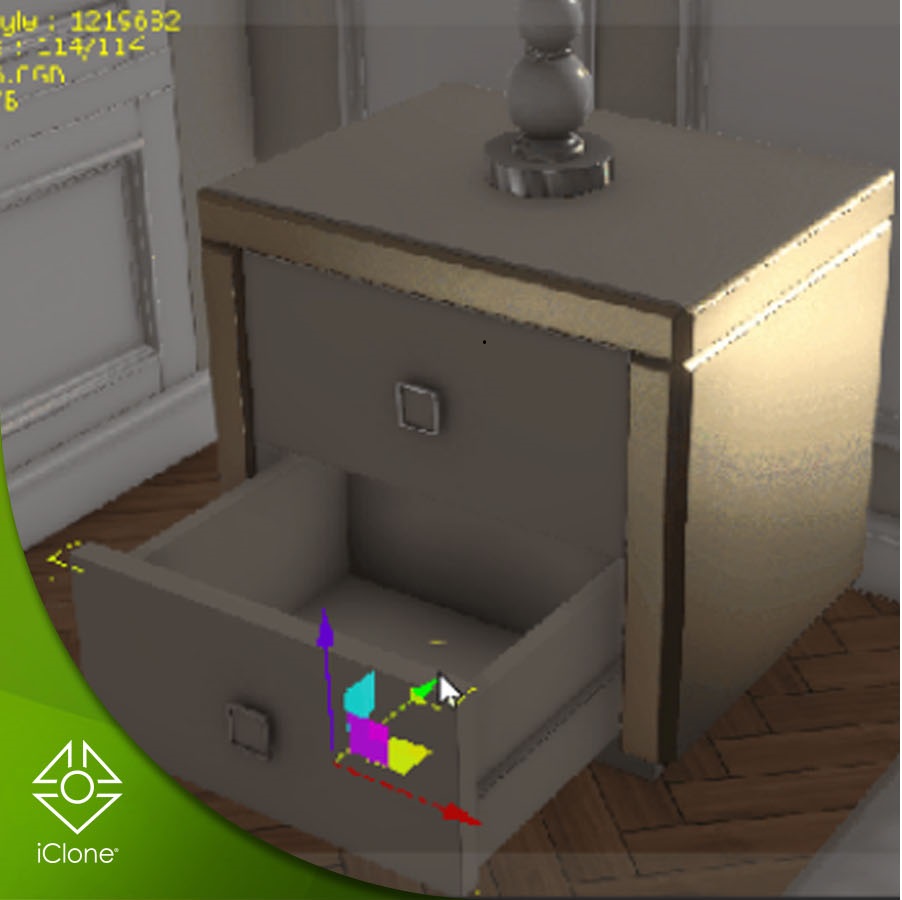
Prop Animation
Prop animation In the following tutorial, this package will be used as an example. https://www.reallusion.com/contentstore/pack/hq-modern-classic-interior We’re going to animate opening door and drawer, here below is the breakdown: 1.First, select…
-
In-place motion vs Root motion
In-place motion vs Root motion If you are using the motions from default free resource motion pack, most of them are in-place motion, it means that they have no forward…
TAG
actormixer AI AI Generation askfunction Cartoon Animator cc5 Character Creator character creator 5 content content manager creation Custom Character iClone Idea Import Particle Performance tutorial
nEW POSTS
- Generating motion with AI Video Mocap in iClone
- Managing content with Smart Content Manager

- Quick creating every characters | Character Creator 5 AvatorMixer

- Creating CC character with generative AI tool
- 3D Textures – PBR Shader Type Maps

- iContent vs Standard License – Deep Search in Content Manager
- How to fix foot contact for custom imported animation

- Using AI tool to generate 3D model and rig with iClone / Character Creator / AccuRIG
 Reallusion Tips