

-
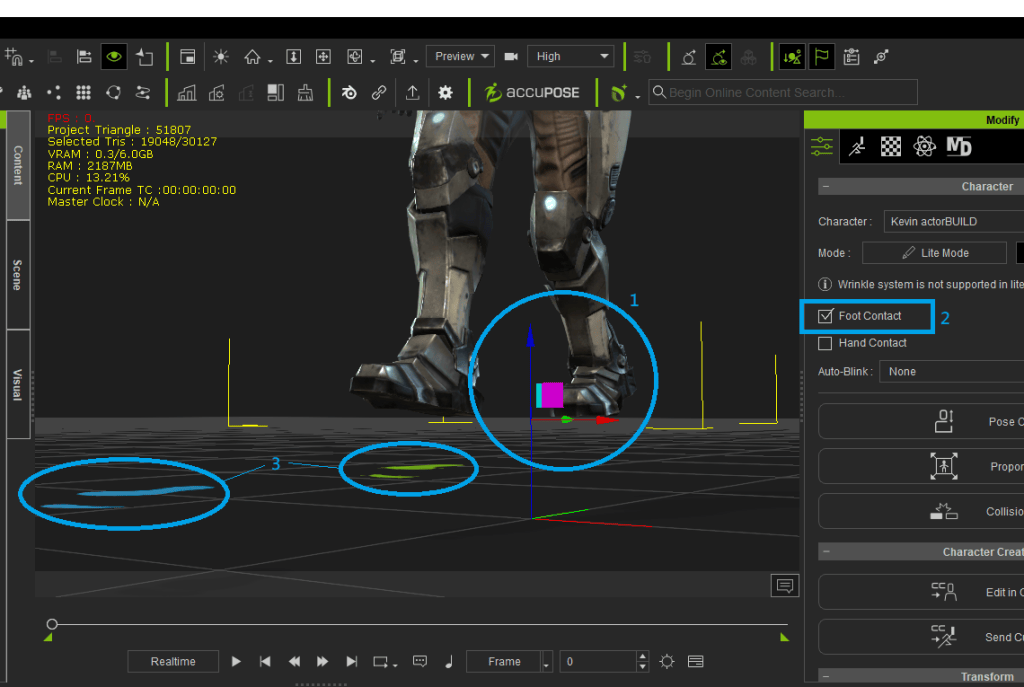
How to fix foot contact for custom imported animation
How to fix foot contact for custom imported animation Sometimes while importing custom motion from another platform, the character in iClone viewport is placed above the ground level, it is… (More…)
-

Using AI tool to generate 3D model and rig with iClone / Character Creator / AccuRIG
Using AI tool to generate 3D model and rig with iClone / Character Creator / AccuRIG 1. Choose an AI 3D Generation Tool Several AI tools can create 3D models.… (More…)
-
Step-by-Step Guide: Integrating NVIDIA Omniverse with iClone 8 / Character Creator 4
Step-by-Step Guide: Integrating NVIDIA Omniverse with iClone 8 / Character Creator 4 Step 1: Setup Step 2: Create and Share USD File Step 3: Connect iClone to Omniverse Step 4:… (More…)
-
Recommended AI Tools for Generating 3D Motion in 2025
Recommended AI Tools for Generating 3D Motion in 2025 Artificial Intelligence (AI) has transformed 3D motion generation, making it more efficient, accessible, and creative for animators, game developers, and enthusiasts.… (More…)
-
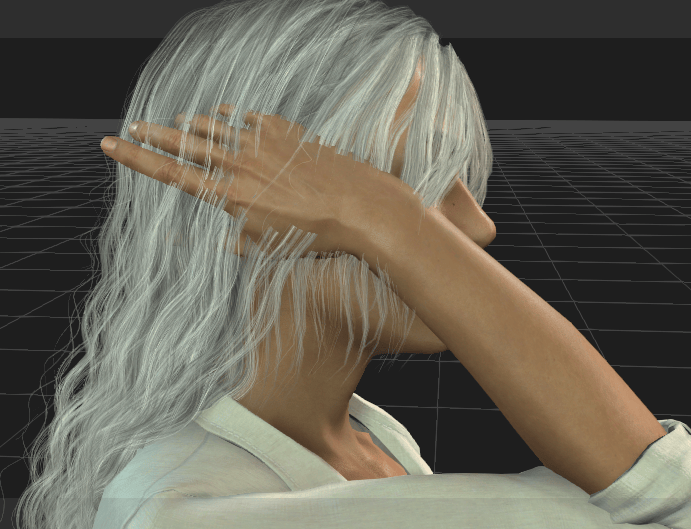
Soft Cloth Physics – Hair Swipe
Soft Cloth Physics – Hair Swipe Used content: Motion – Egocentric Tidy Hair F (Actorcore), or the pack from Content Store Hair – Long Wavy Center Part Hair Let’s get… (More…)
-
Import / Export Transparent video in iClone 8
Import / Export Transparent video in iClone 8 PNG and EXR formats are supported with transparent background. If you are Popvideo users, you may import the popvideo format into iClone… (More…)
-
Getting Start with iClone
Getting Start with iClone Welcome to iClone! With this powerful character animation tool, it allows users to create high-quality animations with motion capture, facial animation, and realistic character design. With… (More…)
-
Export Mesh and Motion Individually
Export Mesh and Motion Individually For some reason, iClone 8 can only export animation with mesh together. But Character Creator 4 can export only the animation without meshes. If you… (More…)
-

FreeBone Actor Creation Process (With Sprite Editor)
FreeBone Actor Creation Process (With Sprite Editor) Creating the Skeleton with the Bone EditorBegin by using the Bone Editor to set up the skeleton for the character. By adding and… (More…)
-
Loop Animation
Loop Animation 1. Bi-Blending the motion clips in Timeline is the fastest way to achieve this. Here is the tutorial and manual page:https://courses.reallusion.com/home/iclone/character-motions?v=iclone-8-tutorials-bi-directional-blending-basic-motion-editing-3 How to create transitions between clipshttps://manual.reallusion.com/iClone-8/Content/ENU/8.0/51-Animation-Timeline-Editing/Creating-Transition-between-Clips.htm 2. Reversing… (More…)
TAG
actormixer AI AI Generation askfunction Cartoon Animator cc5 Character Creator character creator 5 content content manager creation Custom Character iClone Idea Import Particle Performance tutorial
nEW POSTS
- Physics System

- Preventing Characters from Passing Through Grass, Leaves, and Rocks in iClone 8

- Revolutionizing Digital Simulations: A Deep Dive into iClone 8.7 Motion Planning
- FashionGen – AI Empowered for generating clothes textures and Logo

- Generating motion with AI Video Mocap in iClone

- Managing content with Smart Content Manager

- Quick creating every characters | Character Creator 5 AvatorMixer
- Creating CC character with generative AI tool
 Reallusion Tips